Repair tree structure
Inbox helps you fix parent links that loop and notes that declare more than one root.
How to use it
Section titled “How to use it”The up property makes the note hierarchy explicit, but an explicit
hierarchy still needs one root and finite parent chains. Inbox reports loops
and duplicate roots directly instead of letting an ambiguous tree silently
change context labels.
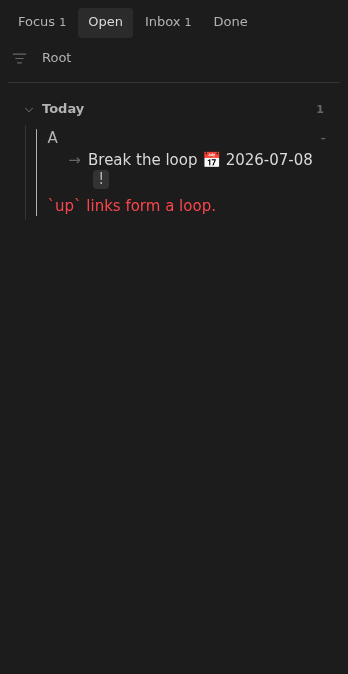
- Loop: “
uplinks form a loop.” - Duplicate roots:
Only one note can act as root.
How to fix
Section titled “How to fix”Follow the message on the row. Resolving a tree issue clears its warning; other issues may still keep the note in Inbox.
“up links form a loop.”
Section titled ““up links form a loop.””A note can point to itself, or a chain of notes can lead back to where it started. Follow the parent links and change one so the chain reaches a root.
For example, if A links to B and B links back to A, keep A’s link and change B’s frontmatter to point at an existing parent outside that loop:
---up: "[[Projects]]"status: open---Make sure Projects does not lead back to A or B.
“Only one note can act as root.”
Section titled ““Only one note can act as root.””More than one indexed note declares up: "-". Choose the root to keep, such
as Home, and give the others a parent link.
Home.md can remain a closed root:
---up: "-"status: closed---Archive.md, previously another root, can become its child:
---up: "[[Home]]"status: closed---When editing existing notes, preserve their status and other properties unless you intend to change them.
Check the resulting tree
Section titled “Check the resulting tree”For a tree kept entirely inside your notes folder:
- One note declares
up: "-". - Each other note links to its parent.
- Following parent links eventually reaches the root without a loop.
Existing parents outside the indexed notes are supported as external roots; see Sources. Missing or unresolved parents are a separate issue: Repair missing parent links.
Rules and details
Section titled “Rules and details”- Every note in an
uploop reportsuplinks form a loop. - Every note declaring
up: -reports the duplicate-root message when more than one root exists. - A unique root remains a normal note with the usual task and status validations.
- Other valid branches keep their context labels when one branch has a loop.
Example note to repair
Section titled “Example note to repair”This example illustrates the issue. Replace its dates and parent links with ones that fit your vault.
---status: openup: "[[A]]"---
- [ ] Break the loop 📅 2026-07-08
What it looks like
Section titled “What it looks like”Tree loop
Section titled “Tree loop”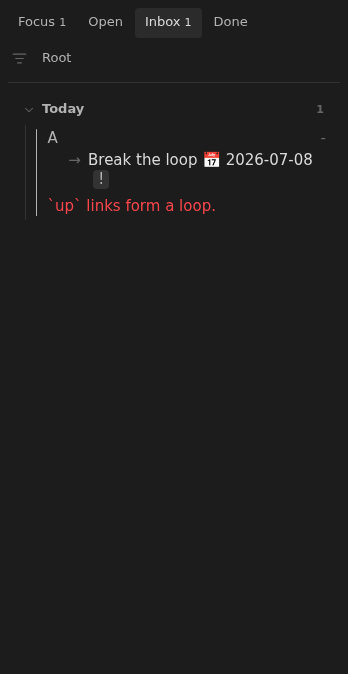
Looping note in Open
Section titled “Looping note in Open”