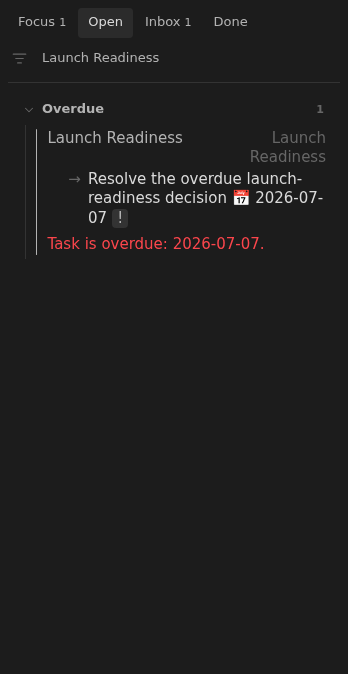
Open task overdue
An open note whose earliest unchecked dated task is overdue is reported in Inbox.
How to use it
Section titled “How to use it”An open note is expected to surface when its next action needs attention. Once that action’s date has passed, leaving it unmarked would make the daily view easy to ignore.
Inbox treats the overdue date as a scheduling decision to repair. The same message remains visible on the shared row in Focus and Open, so switching views does not hide why the note needs attention.
How to fix
Section titled “How to fix”Complete the action if it is finished, or choose a new attention date.
Use the row’s date controls for a small shift, or edit the task’s 📅 date
in the note.
A past date is reported as overdue even when you use dates as reminders rather than hard deadlines. If the note is finished, resolve its unchecked tasks before closing it.
Rules and details
Section titled “Rules and details”- The earliest unchecked task dated before today produces one overdue violation.
- The issue text is
Task is overdue: YYYY-MM-DD.using the task’s due date. - Tasks due today or later and completed tasks do not trigger the issue.
- Closed notes and notes with unsupported statuses do not trigger the issue.
- The same overdue message appears on the note’s row in Focus, Open, and Inbox.
Example note to repair
Section titled “Example note to repair”This example illustrates the issue. Replace its dates and parent links with ones that fit your vault.
---status: openup: "[[Root]]"---
- [ ] Resolve the overdue launch-readiness decision 📅 2026-07-07
What it looks like
Section titled “What it looks like”Overdue next action in Inbox
Section titled “Overdue next action in Inbox”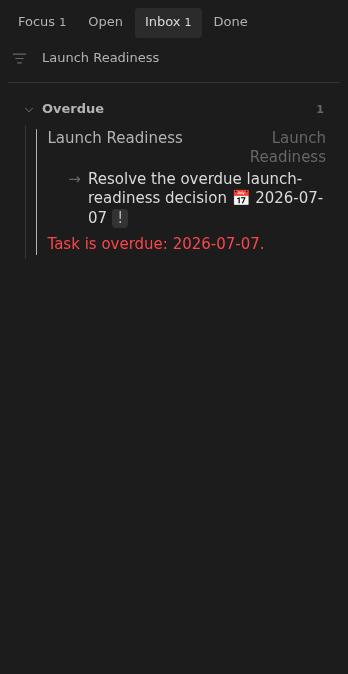
Overdue next action in Open
Section titled “Overdue next action in Open”