Reopen selected tasks
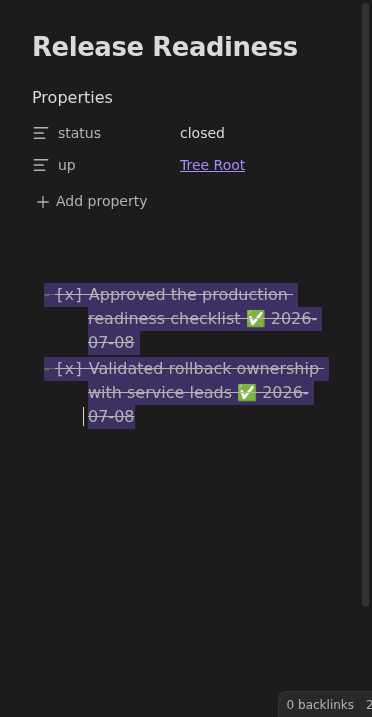
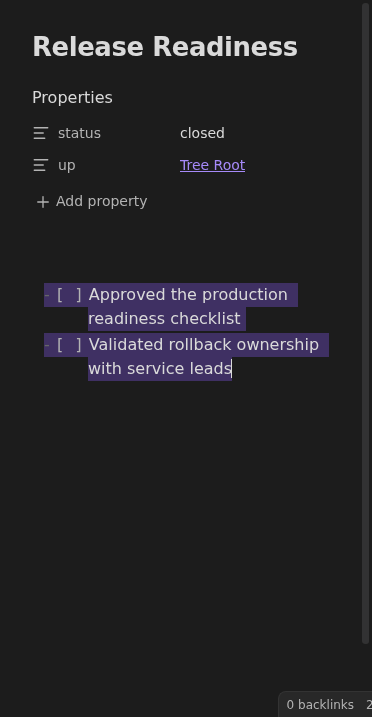
The editor command turns selected completed tasks back into unchecked tasks and removes their Tasks completion dates.
How to use it
Section titled “How to use it”Completed task markers are easy to create accidentally, especially when using keyboard shortcuts in a long note. Reopening the task should not require the user to remember which completion-date emoji needs to be removed.
The command works directly in the editor because the user is already looking at the specific checklist lines they want to reopen. Users can assign the recommended hotkey to Tasks Eye: Reopen selected tasks in Obsidian’s Hotkeys settings.
Rules and details
Section titled “Rules and details”- The command is available only when the current editor selection contains checked task lines.
- The command is registered without a default hotkey.
- Standard checked task markers become unchecked markers.
- Tasks completion dates are removed from reopened task lines.
- The command also works when the Tasks API is unavailable: it reopens the selected standard checkboxes and removes their completion dates.
What it looks like
Section titled “What it looks like”Before
Section titled “Before”