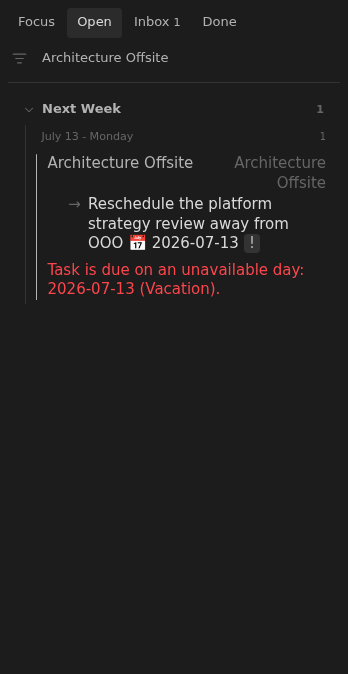
Task due on an unavailable day
A note appears in Inbox when its earliest unchecked due date falls on an unavailable day.
How to use it
Section titled “How to use it”When a note’s earliest unchecked due date falls on a non-working weekday, public holiday, or personal time off, its row explains the conflict. Move the task to a day when you can give it attention, or correct your availability settings if the day should be available.
The message lists every reason for that date, including named holidays and personal labels. Conflicts on later-dated tasks are not shown on the row until they become the note’s earliest unchecked due date.
How to fix
Section titled “How to fix”Move the task’s 📅 due date to an available day. If the calendar is wrong,
update Settings → Tasks Eye → Availability.
Row date controls move by calendar days, so they can land on another unavailable day. Check the warning after moving the date. Later task conflicts appear only when their date becomes the note’s earliest unchecked due date.
Rules and details
Section titled “Rules and details”- Non-working weekdays, public holidays, and personal time off can cause a conflict on the note’s earliest unchecked due date.
- The issue includes the due date and every named availability reason.
- A conflict on a later task is hidden until that date becomes the note’s earliest unchecked due date.
- Tasks on normal working days do not trigger this issue.
- The issue is visible in both Inbox and Open.
Example note to repair
Section titled “Example note to repair”This example illustrates the issue. Replace its dates and parent links with ones that fit your vault.
---status: openup: "[[Root]]"---
# Architecture Offsite
- [ ] Reschedule the platform strategy review away from OOO 📅 2026-07-13
What it looks like
Section titled “What it looks like”Offsite review scheduled during OOO
Section titled “Offsite review scheduled during OOO”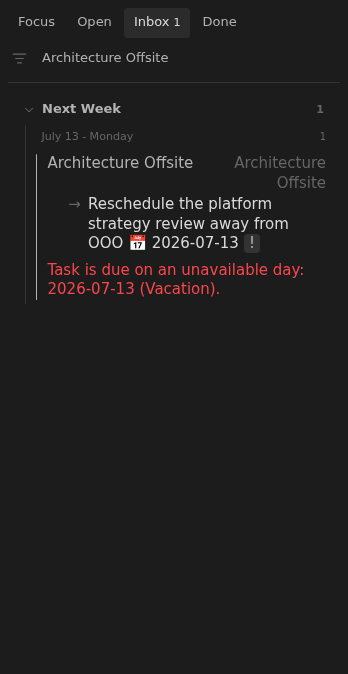
OOO conflict in Open
Section titled “OOO conflict in Open”