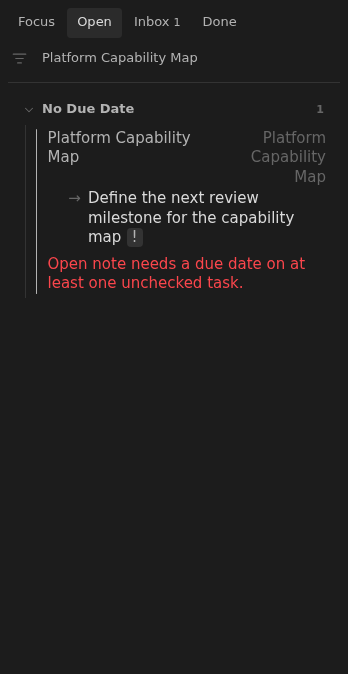
Open note with no dated unchecked task
An open note needs a Tasks due date on at least one unchecked task.
How to use it
Section titled “How to use it”Open notes represent active work. When none of their unchecked tasks has a due date, the work has no place in the dated plan and is easy to overlook.
Inbox flags the note so the user can schedule at least one next action. Other unchecked tasks may remain undated; a single dated unchecked task is enough to anchor the note in planning.
How to fix
Section titled “How to fix”Add 📅 YYYY-MM-DD to at least one unchecked task. Choose the day you want
the note to return to your attention:
- [ ] Review the proposal 📅 2026-10-01Replace the example date with your chosen day. A date on a completed task does not count, and Tasks scheduled or start markers do not satisfy this rule. Other unchecked tasks can remain undated.
Rules and details
Section titled “Rules and details”status: opennotes with unchecked tasks but no due dates are reported in Inbox.- Missing or blank status is treated as Open for this rule.
- One unchecked task with a due date is enough to satisfy the rule, even when other unchecked tasks are undated.
- Completed tasks with due dates do not satisfy the rule.
- Closed notes and notes with unsupported statuses do not trigger this issue.
- The issue is visible in both Inbox and Open.
Example note to repair
Section titled “Example note to repair”This example illustrates the issue. Replace its dates and parent links with ones that fit your vault.
---status: openup: "[[Root]]"---
# Platform Capability Map
- [ ] Define the next review milestone for the capability map
What it looks like
Section titled “What it looks like”Undated capability-map action
Section titled “Undated capability-map action”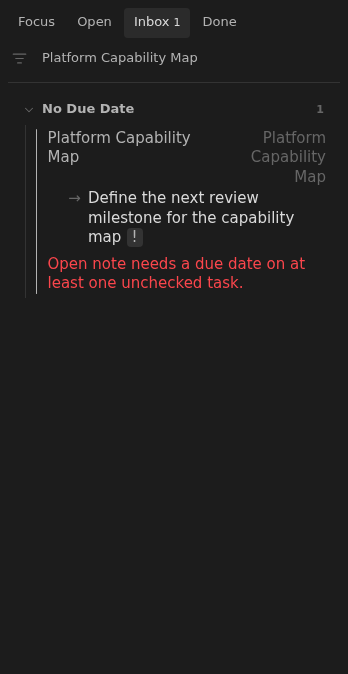
Undated action in Open
Section titled “Undated action in Open”